Blogroll

Friday, March 30, 2012

Avast Free Antivirus 7

With 150 million active users and over 200 million registered accounts, the popularity of avast! software is completely undeniable. About a month ago, the company released version 7 of their security suite, integrating innovative features for the free edition.

Cloud-based file reputation service and streamlined updates, together with enhanced configuration for automatically sandboxing a suspicious program, and the remote assistance feature make for the highlights of the latest major release.

Also new to a free antivirus is some incipient form of central management for all avast! installations. At the moment, the service only allows you to view information, and no modifications can be applied. However, this will permit you to check the security status and the activity log of the suite on multiple machines.

The new version of avast! comes with a fresh installer that allows you to integrate it into your system as a second line of defense for an already available security product. The interface went through slight modifications.

You can check on the protection state at a glance in the Current Status panel. It offers details about the status of real-time shields, definition updates or the expiration date of the program.

The same real-time shields protect your system, with the menu showing the status and activity for all of them: file system, mail, web, P2P, IM, network, script and behavioral analysis. For each of them, there are graphs displaying the traffic and amount of items and events analyzed, as well as the number of infections detected.

Review imageReview imageReview imageReview image


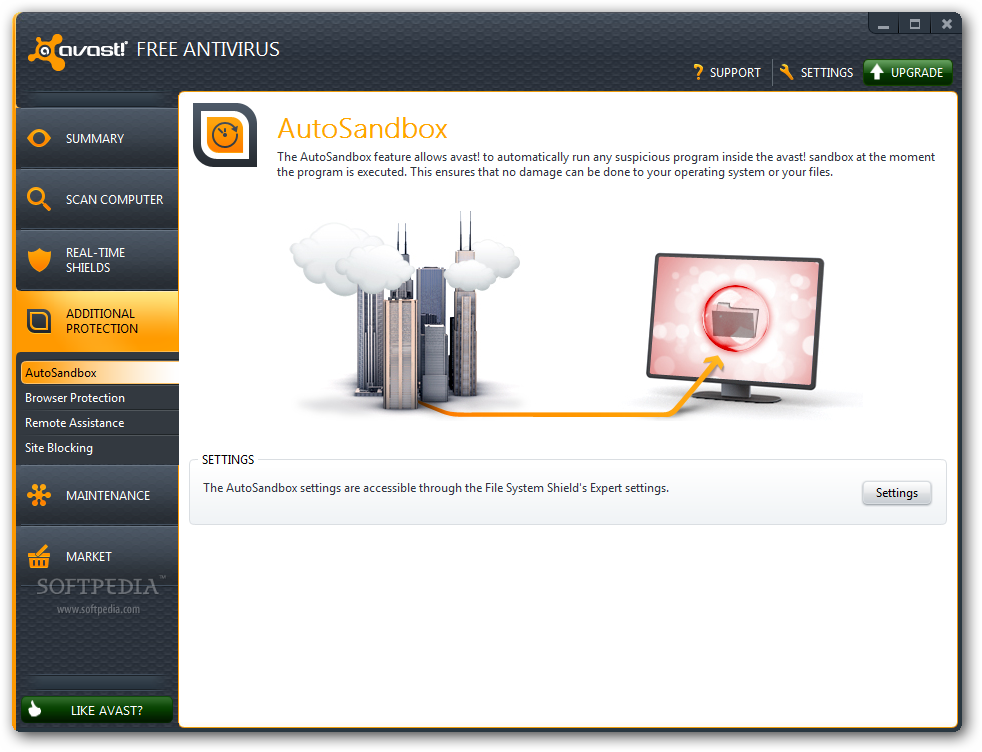
Furthermore, protection is also ensured through sandboxing, which is automatic in the free version of the product, browser protection (based on community ratings) or site blocking (lets you specify URLs that should be blocked).

Remote assistance is also present in this menu, allowing desktop sharing between avast! users. This is most useful in situations when you need technical support from a friend. All remote assistance sessions are carried out securely, through the company’s servers. These can be initiated based on an automatically generated code, which has to be provided to the remote party.

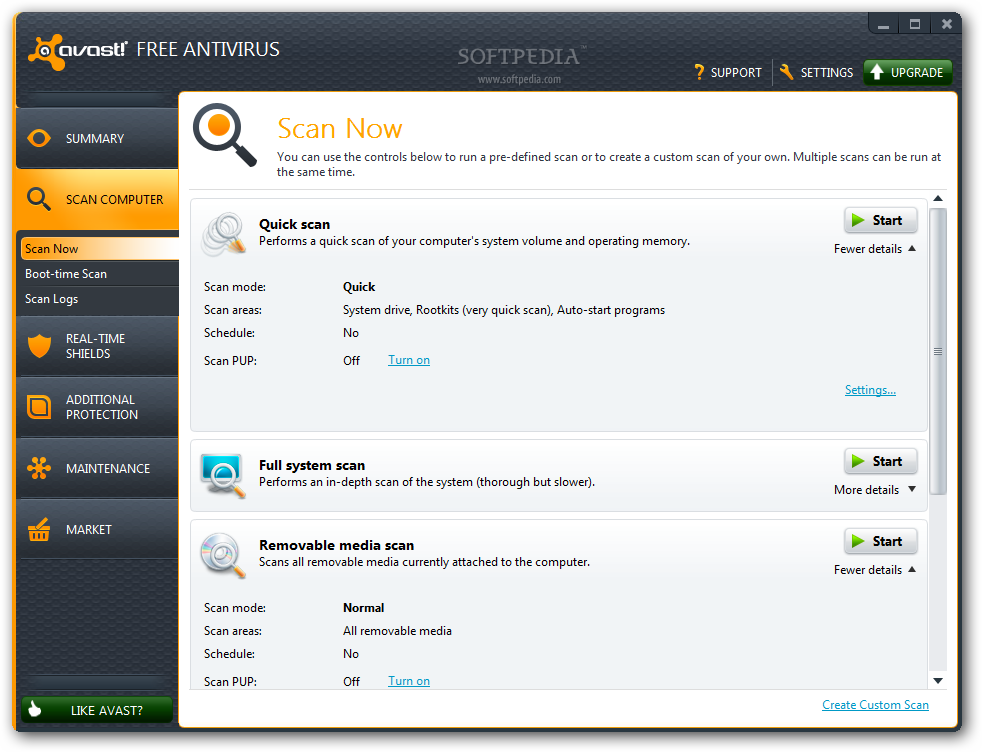
Nothing has changed, as far as scan choices are concerned. You can run a quick scan to check the most sensitive areas of the computer (system drive and RAM), a full system scan for a thorough verification, and a custom scan, which lets you choose the areas that should be checked.

Review imageReview imageReview imageReview image


There is also the possibility to examine removable media attached to the computer. Moreover, custom scan profiles can be created, where you get to define locations to be inspected.

Where the efficiency of the protection layers is concerned, avast! proved to be a very reliable choice, as it managed to eliminate 80.4% of our malware database during an on-demand scan. Out of 66,084 samples (all harvested in the past month) we put it up against, 12,976 were left behind after the first sweep.

More threats were uncovered when we tried to launch them and, in some cases, the antivirus flagged them as suspicious and launched them in the sandbox, isolated from the system. Although we did not launch all threats skipped by avast!, the ones picked up by the behavior shield managed to increase its score by almost two points.

Further on-demand scans uncovered more malware, although the number was negligible considering the high amount of samples initially left behind.

Review imageReview imageReview imageReview image


FileRep, the cloud-based reputation system, alerted us of suspicious downloads and recommended interrupting the connection. It is connected with the sandboxing feature, as files are run isolated from the system and analyzed for malicious behavior.

WebRep, on the other hand, is based on information received from the community, as far as website rating is concerned and, in some cases, the rating relies on a small number of votes. As a plus, the plugin has been updated to alert against phishing based on cloud information.

Unlike previous versions we analyzed, this release did not raise the flag for the false positives we were usually accustomed with.
Review imageReview imageReview imageReview image


Boot-time scanning is also among avast!’s features. This comes in handy since it can search for malware before it becomes active.

Although configuring security products may seem pretty daunting for the average user, in this case, everything is simple and straightforward. Both beginner users and more advanced ones can handle the settings quite comfortably.

You won’t be put through hardships even if terminology is not familiar, because of the contextual help; additionally, the explanations are easy to comprehend.

The free version of avast! does not feature a firewall or antispam, and the hints are all over the place, as upgrade recommendations are present in most parts of the interface. However, the messages do not hinder in any way the handling of the application.

Review imageReview image


The Good

For a free solution, it integrates a comprehensive suite of security layers. Automatic sandboxing, cloud-based updates and file reputation system, combined with behavioral analysis and traditional definitions make for a reliable antivirus.

Handling the application is easy, and you also get remote assistance possibilities, as well as online monitoring of all avast! installations linked to your account

The Bad

During our testing, when handling large amounts of data, the interface would become unresponsive. The activity would be carried out in the background, though.

The Truth

avast! 7 Free integrates unique protection features that complement each other, thus leading to increased security. Despite being free of charge, the application delivers more than the snubbed protection you see in other free solutions.

As far as malware detection and elimination is concerned, it is as reliable as a paid product.


FILED UNDER:
AVAST!
AVAST
ANTIVIRUS
ANTI-MALWA

YouTube Convertor

Youtube ConverterFinal Video Downloader v. 2011
by Free Downloads
13th February 2011
Final Video Downloader is a Youtube downloader and converter that is used to download and convert You Tube videos into many different formats including mp3. It is up to 500% faster than other Youtube Downloaders as it uses special threading technology.


Please note that this review is about version 2011 and the current version is 2011 Update 10. Features as well as bugs may or may not have been changed since the version upgrade. Always refer to developer homepage for more information.
Final Video Downloader is a Youtube downloader and converter that is used to download and convert You Tube videos into many different formats you can download it here.
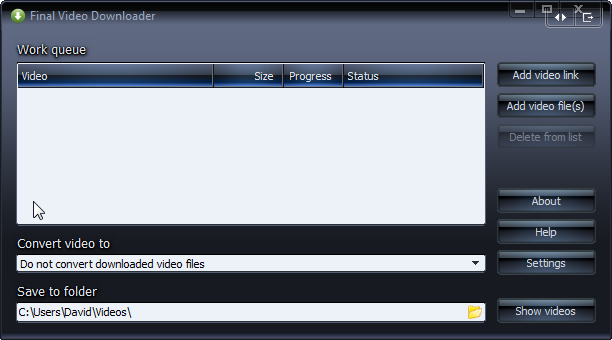
The main window from Final Video Downloader shown below is used to download and convert YouTube videos.

You can see the Work queue where the videos that you download are listed, also displayed is the size of the video, the amount downloaded and the status of the file.
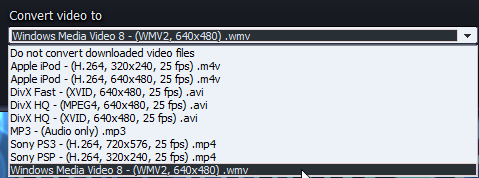
Below the work queue the drop down menu is located, were you can choose which format that you want to convert your You Tube video's to, and the folder where you want to save the video.


In the main window there are a series of buttons which are listed as follows.
Add Video Link
Add Video File(s)
About
Help
Settings
Show videos


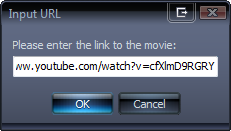
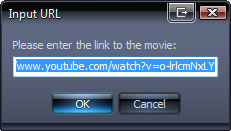
The Add Video button, when you select it you will see the following Window.


If you have saved a link to the clipboard this will automatically be added as the link for the video that you want to download from Youtube.


Next is the Add Video File(s) button.
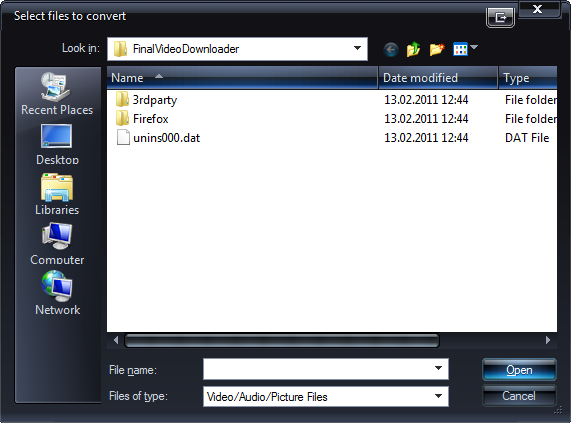
This is used when you want to convert your downloaded YouTube video in to another format. When you click on this button, the following window will open.


At the top you will see the "Look in" place dropdown menu that allows you to navigate to the You Tube videos that you want to convert.
To the right of this you can select to go up one level in the menu, for creating a new folder and one for viewing the menu.


To the left you can quickly navigate to folders such as those recently used, to your Desktop, Libraries if Windows 7 is your operating system, Computer and Network.
You can choose the filename to convert and the type of file format that the video should be converted to. Then using the open button you can open the file to convert or cancel the process.
Using the button Delete from list you can remove any You Tube videos that you highlight in the main window of Final Video Downloader.
Clicking on the About button shows you the Version Number of the Youtube Converter, Build date as well as copyright information.
The Help button will open the Final Video Downloader Help page, where you can find more details to help you convert Youtube videos.


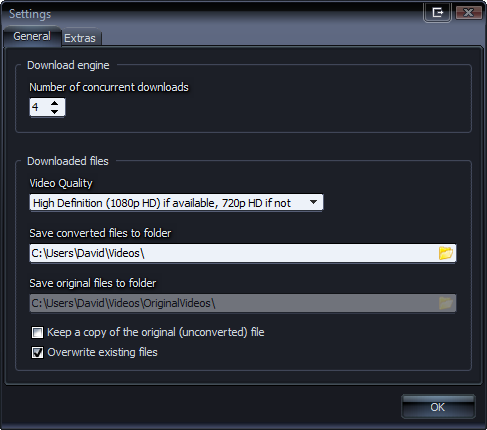
The Settings button will open the window shown below.
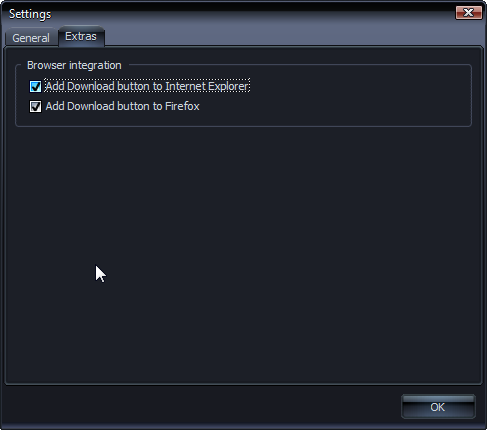
The Settings page is split in to two sections listed under the General and Extras tabs.
Starting with General tab, you can specify how many videos you wish to download concurrently, you can choose between 1 and 10 concurrent downloads. You can then choose the video quality of the downloaded movies these range from the default quality up to 1080p High Definition quality. You can choose which folder you wish to save your converted files to and if you want to keep both the original and converted files you can choose the folder used to store the original files to. There is an option were you can choose whether to keep a copy of the original file or overwrite the original file.


Under Extras you will find two check boxes where you can choose to add the Final Video Downloader to the Firefox and Internet Explorer Browsers.
This will allow you to download a video with a single click of a button.


Selecting "Show videos" will open the Windows Explorer and open the folder that contains your videos.


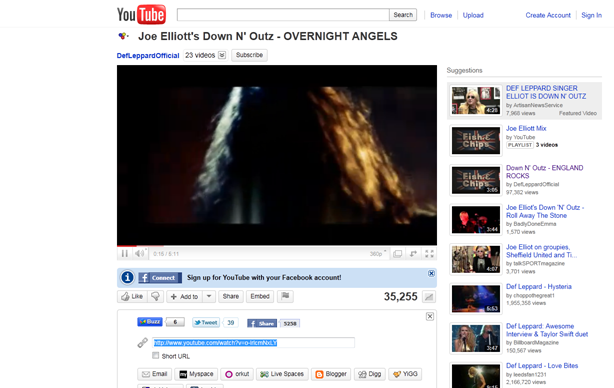
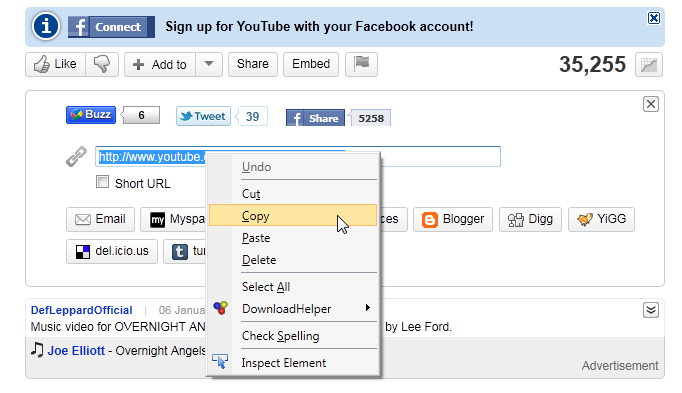
We will now continue on how to download a You Tube video. From YouTube I have chosen a video which you can see in the following image.


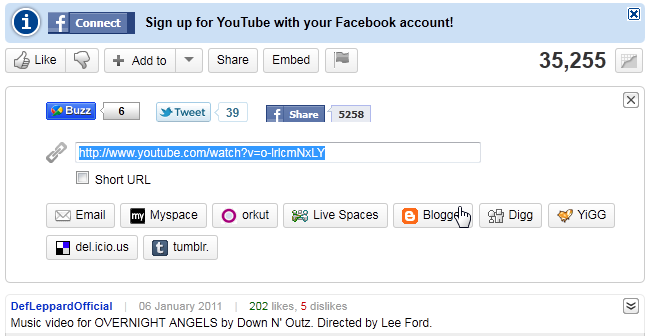
You can simply copy and paste the link directly from the browser address bar, or if you click on share on the YouTube page the link to the video will appear.
If you have chosen to integrate the 1 click button directly into Internet Explorer or Firefox, you can simply select the green download button, beside your address bar and Final Video Downloader Youtube Converter will open and the download will begin.


Mark the link by pressing your left hand mouse button and pulling it along the link so that it is marked as above, then click on the marked link using your right hand mouse button.


Now open Final Video Downloader and choose the format that you wish to convert to if at all and where you want to save the file.
Choose copy this will copy the link to your clipboard, then open Final Video Downloader and select "Add Video Link" that will open the window to add the link, as mentioned previously if the link has been saved to the clipboard it will automatically add the link.


Click on OK and Final Video Downloader will download the YouTube Video .


Once it has downloaded the file Final Video Downloader Youtube Converter will start to convert the file to the chosen format.


You can use Final Video Downloader Youtube Convertor to convert videos to m4v for Apple Ipod, or Divx AVI, Sony PS3 mp4, Windows Media Video wmv, or simply convert the video into MP3 audio.


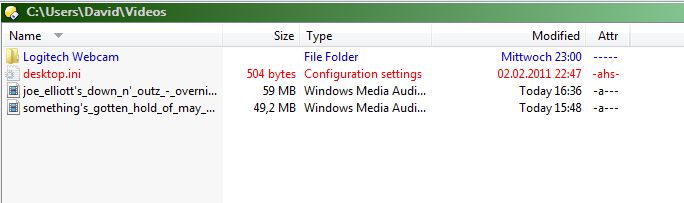
When you click on Show videos the Windows Explorer will open where you have saved the video.


Then through either a double click to open the Video downloaded from YouTube, or by using the right mouse button and the context menu to open it you can watch your video.


Download program